
Once you have registered for classes, you are the only one who has access to your record(s). By completing the appropriate information release, a student can authorize another individual or organization to access their information. These designations can be changed by the student at any time.
Third-party(ies) MUST know your NSHE-ID and Pass Phrase that was set up by you before information may be released.
[ht_toggle title=”How to add a Third Party Release?” id=”” class=”” style=”” ]
Go to your Student Center through the MyNevadaState Portal
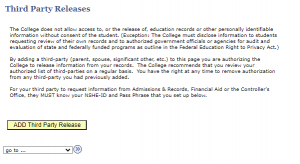
On the bottom right-hand corner, select ‘Manage Third Party Release.’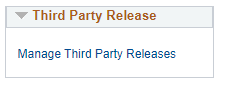 Read and review the Third Party statement. Then select ‘Add Third Party Release.’
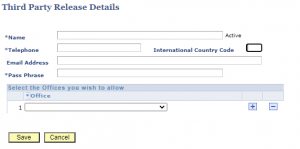
[/ht_toggle]
For more information about Third Party Release, contact the Office of the Registrar at 702-992-2110 or registrar@nevadastate.edu.